
Gridwise: Gig Driver Assistant
GridwiseFinance
4.53.06K Reviews
- Version
- 3.80.2
- Installs
- 1.00M
- Age Rating
- Everyone
Screenshots
Our Review of Gridwise: Gig Driver Assistant
 Analysis by Appyee
Before I’d recommend any driver tool, I want to know what it costs and what I can reasonably expect from it. Gridwise: Gig Driver Assistant is a free finance app from Gridwise, so you can try its core experience without paying an upfront price. The app also offers in-app purchases, with items ranging from $0.99 to $109.99. That is a wide spread, so I would check the details of any paid option in the app before buying rather than assume every useful feature is included at no cost.
That distinction matters if your driving income changes from week to week. A free starting point makes it easier to see whether a dedicated work tracker fits your routine, while optional purchases could change the value calculation for someone who needs more than the free experience. I’d judge a paid upgrade against a practical question: does it save enough time or help me make better work decisions to justify its actual price? The listed range alone does not answer that for every driver.
Where the value shows up during a workweek
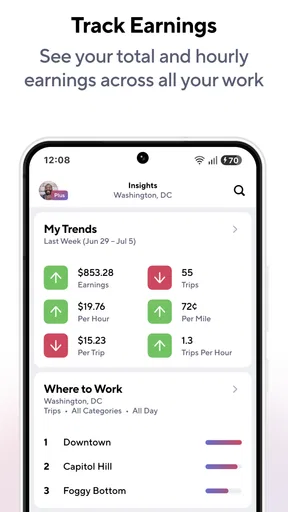
The most useful promise here is consolidation. Instead of treating each delivery or rideshare platform as a separate little business, I can use Gridwise to keep a broader view of earnings, hours and miles. That perspective is valuable even if the app never changes how many requests I receive: it can help me understand what my driving is really producing across a shift.
For example, imagine I work a lunch delivery block, switch to rideshare later, and then take another short delivery run. Looking at those activities separately can make the day feel busier than it was profitable. A combined record gives me a better basis for asking whether the extra time on the road was worthwhile. I would still treat the app’s insights as a guide, not a guarantee of higher pay; demand and the offers available to me remain outside its control.
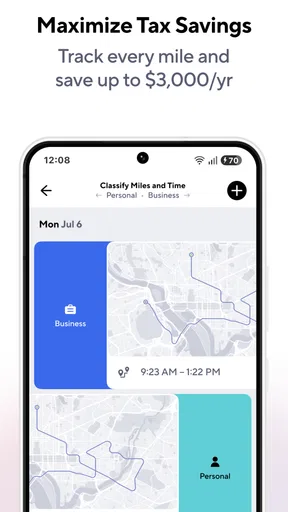
Mileage records are useful for a different reason. I can review the distance associated with my driving rather than rely on a hazy end-of-week memory. A practical habit is to check that tracking is behaving as expected during ordinary shifts, then review the record regularly instead of waiting until tax time. Automatic tracking can reduce tedious manual work, but I would still keep my own tax records organized and verify what I plan to claim. An app record can support careful bookkeeping; it is not the same thing as tax advice.
How I’d use its information, not just collect it
Tracking becomes more valuable when I turn it into a routine. At the start of a week, I’d note which periods I plan to work. After a few shifts, I’d compare the pattern of hours and earnings across the different kinds of work I actually do. If one block repeatedly uses more time for less return, I can test a different schedule rather than make a big change based on one unusually quiet day.
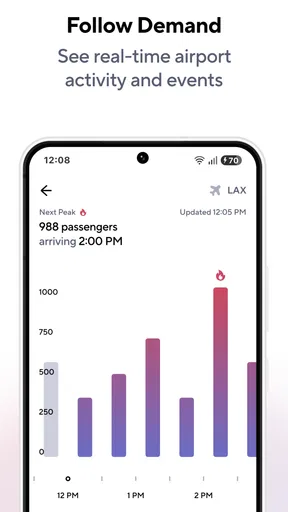
There is a useful trade-off here: more tracking can make work clearer, but it can also encourage me to chase every apparent peak. An event or airport alert is a signal to consider, not proof that driving there will pay off. I’d weigh the trip to that area, likely waiting time and the rest of my shift before changing course. A small experiment—trying a location or time window once and comparing it with my own normal routine—is more sensible than treating a notification as a promise.
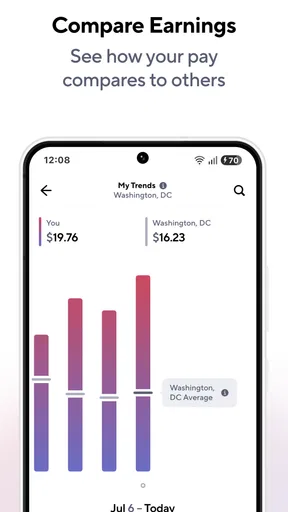
The same restraint applies to earnings comparisons. A busy hour is not automatically a good hour if it requires a long drive to reach the work area or leaves me with extra unpaid time. I’d use Gridwise to organize what happened, then bring my own judgment to the decision. That is where a driver-focused record can beat scattered notes without pretending to predict the future.
Who is likely to get the most from it
I see the clearest fit for someone who drives regularly for more than one gig platform and wants a single place to review work patterns. If I split a week between rideshare and delivery, the appeal is not merely fewer figures to type; it is being able to compare the overall shape of my work. Drivers who are still deciding which hours suit them may also find that a consistent record is more useful than relying on memory.
By contrast, someone who takes an occasional delivery shift and already has a simple, reliable way to record mileage and pay may not need another app in the routine. The setup and ongoing attention have a cost in time, even when an app is free. I would also avoid treating any automatic record as infallible: if a trip or earnings entry looks wrong, I’d check it against the relevant platform and my own notes before using it for a financial decision.
How it compares with ordinary alternatives
The usual alternative is to check each gig platform separately, then keep mileage and hours in a spreadsheet, notes app or paper log. Those methods can work well, especially for a driver who uses one service or likes full control over every entry. Their weakness is fragmentation: it takes effort to bring the pieces together, and an end-of-week comparison is only as good as the records I remembered to make.
Gridwise is more specialized than a general budgeting app because its focus is gig-driving work rather than household spending. That focus makes it a better candidate for reviewing shifts, platform earnings and driving patterns, while a spreadsheet can still be better for custom calculations or a tax workflow built around an accountant’s preferences. I would not replace a bookkeeping or tax system with a driver assistant if I needed formal records beyond the app’s tracking.
Privacy and account access are also worth considering before connecting work accounts to any tracking service. I’d read the app’s current permissions and connection prompts carefully, decide whether I’m comfortable linking the platforms I use, and start with only the accounts I actually want to monitor. That cautious approach is useful for any app that brings information from several work services into one place.
Ever found yourself juggling multiple gig apps, trying to keep track of everything, and still feeling like you're missing out on potential earnings? Well, that's exactly where Gridwise comes to the rescue. This nifty app is like your personal assistant, designed specifically for gig drivers who want to optimize their time and maximize their earnings without losing their sanity.
What is Gridwise?
In the world of rideshare and delivery, efficiency is king. Gridwise is an app aiming to be the ultimate assistant for gig drivers. Whether you're driving for Uber, Lyft, DoorDash, or any other platform, Gridwise helps you keep track of your mileage, earnings, and hours worked. It's like having a financial planner and a time manager all in one.
Features That Make Life Easier
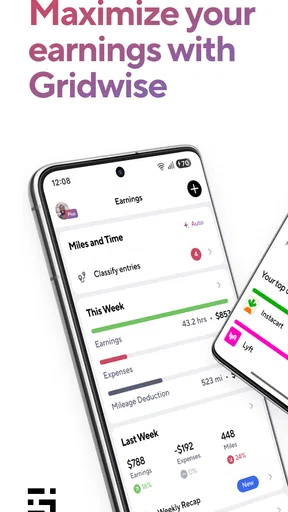
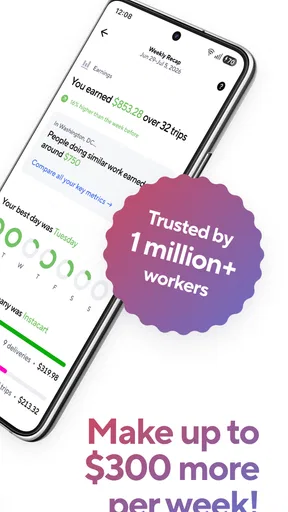
So, what makes Gridwise stand out in the crowded market of driver tools? For starters, its earnings tracking feature is a game-changer. You can connect all your gig accounts, and Gridwise will automatically track your earnings across platforms. No more manually entering numbers or stressing over missing data.
Another lifesaver is the mileage tracking. It’s automatic and accurate, ensuring that you’re not leaving any deductions on the table come tax time. Plus, there’s a sweet little feature that alerts you to events and airport demand. This means you can strategically position yourself in the perfect spot to snag more rides or deliveries.
Using Gridwise: My Experience
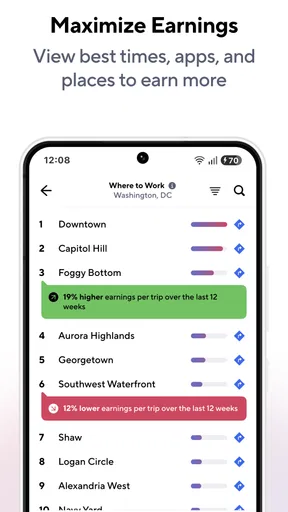
After installing Gridwise, I was pleasantly surprised by its clean and user-friendly interface. Setting up was a breeze. I connected my Uber and DoorDash accounts in minutes, and voila, my earnings were already being tracked. The app even provided insights into when and where I was making the most money, allowing me to adjust my schedule for maximum efficiency.
One of my favorite features has to be the real-time weather updates. As a driver, knowing the weather conditions can help plan the day better, and Gridwise integrates this seamlessly. It’s like having a little heads-up about how the day might unfold.
Why Every Gig Driver Should Consider It
Now, you might be wondering, "Is Gridwise really worth it?" From my experience, the answer is a resounding yes. For anyone serious about making the most out of their gig driving hustle, this app becomes indispensable. It saves time, reduces the hassle of managing multiple platforms, and provides insights that can help you earn more.
Moreover, the community feedback feature within the app is a hidden gem. Engaging with other drivers through tips and shared experiences adds a sense of camaraderie and support, making the gig driving experience less lonely and more collaborative.
Final Thoughts
In a world where gig driving can often feel overwhelming, Gridwise acts as a reliable co-pilot. Its comprehensive features not only simplify the complexities of managing multiple gigs but also empower drivers to make informed decisions about their work.
If you’re a gig driver looking to streamline your operations and enhance your earnings, I wholeheartedly recommend giving Gridwise a try. It’s a small investment of time for a whole lot of efficiency and peace of mind. Happy driving!
Verdict
Strengths of Gridwise: Gig Driver Assistant
- Tracks earnings across multiple platforms.
- Offers mileage tracking for tax purposes.
- Provides real-time traffic updates.
- Integrates with major gig apps seamlessly.
- Includes weather alerts to plan routes.
Limitations of Gridwise: Gig Driver Assistant
- Some features require a premium subscription.
- May drain battery with continuous use.
- Occasional syncing issues reported.
- Interface can be overwhelming for newbies.
- Limited support for lesser-known gig apps.
Similar Picks in This Category
View All
Google Wallet
Google LLC4.3

Airtel: Recharge, Bank & Loans
Airtel4.0

PayPal - Pay, Send, Save
PayPal Mobile4.2

DANA Indonesia Digital Wallet
PT Espay Debit Indonesia Koe4.5

Binance: Buy Bitcoin & Crypto
Binance Inc.4.8

Cash App
Block, Inc.4.7
Frequently Asked Questions
What is Gridwise and how does it work?
Gridwise is a productivity app designed specifically for gig drivers who work with platforms like Uber, Lyft, and DoorDash. It helps drivers track earnings, mileage, and driving performance. The app aggregates data from multiple gig platforms, providing insights to maximize efficiency and earnings. It’s a comprehensive tool for managing gig work effectively.
Is Gridwise available for both Android and iOS devices?
Yes, Gridwise is available for download on both Android and iOS devices. You can find it on the Google Play Store for Android users and the Apple App Store for iOS users. This cross-platform availability ensures that gig drivers can benefit from its features regardless of their device preference.
Does Gridwise offer any real-time features for drivers?
Gridwise offers several real-time features, including airport and event alerts, which help drivers know where demand might be high. This feature allows drivers to plan their routes more effectively and potentially increase their earnings by being in the right place at the right time, maximizing their driving efficiency.
Is there a cost associated with using Gridwise?
Gridwise offers both free and premium subscription plans. The free version includes core features like earnings tracking and mileage logging. For more advanced features such as detailed performance reports and premium support, users can opt for a paid subscription. This tiered pricing allows drivers to choose the level of service that suits their needs.
How does Gridwise help with tax preparation?
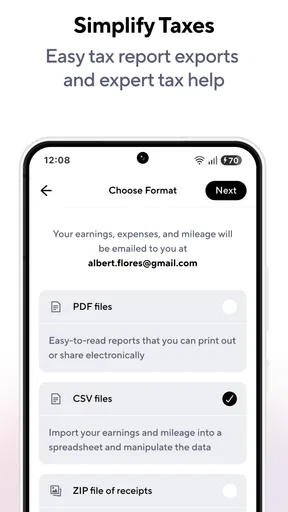
Gridwise assists with tax preparation by tracking mileage and expenses automatically. It generates detailed reports that can be used to simplify tax filing. This feature is particularly useful for gig drivers who need to keep accurate records for deductions, making the process of preparing taxes less overwhelming and more organized.
